
Pokopia Portal Pod Guide: How to Get, Recipe & Storage
Learn how to get and use the Portal Pod in Pokopia, find two Bubbly Basin copies, print more Pods, and use shared storage while crafting.
Quick answer
The Portal Pod is a free Version 2.0 storage item. Once two or more are placed, every Portal Pod opens the same shared inventory. It holds up to 80 item stacks, so it is most useful for materials and food you need in more than one area.

Strategy
How to get and use the Portal Pod
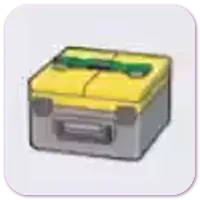
1. Unlock the recipe through Palette Town
Progress Palette Town, check the Portal Pod recipe in the PC Shop, then craft it at a Workbench.
- •Portal Pod is part of the free Version 2.0 update
- •Check the PC Shop for the current unlock requirement
2. Pick up two free Portal Pods in Bubbly Basin
If you own Bubbly Basin, visit the northeast house with a green roof, fence, and yellow mailbox.
- •One Portal Pod is inside the house
- •The second Portal Pod is in the basement
3. Copy another one at the 3D Printer
After you own a Portal Pod, use 5 Rare Pokémetal Ingots at a 3D Printer to make another copy.
- •Print extra access points for distant building areas
- •Every copy connects to the same inventory

4. Place two or more to share 80 slots
Place Portal Pods in different areas, add items through either one, then open any placed Pod to reach the same 80-slot inventory.
- •Workbench crafting can use materials in Portal Pod storage
- •Pick up a Pod after temporary use from the Handy Bag
Best places to use it
- Beside a Workbench: materials in the shared storage can be used while crafting.
- Near a building project: keep common materials nearby instead of carrying them across regions.
- In your Handy Bag: place one while exploring, use what you need, then pick it up before moving on.
What to use next
- Browse the item catalog for the Portal Pod and Safe.
- Open the Portal Pod map marker to jump to the placed copy.
- Use the Bubbly Basin guide for the paid-town entry route.
- Use the Version 2.0 update guide for Dive and the other free update changes.

FAQ
How do I get the Portal Pod in Pokopia?
Progress Palette Town and check the recipe in the PC Shop, or collect the two existing Portal Pods from the northeast green-roof house in Bubbly Basin.
Is the Portal Pod part of the paid DLC?
No. The Portal Pod was added in the free Version 2.0 update. Bubbly Basin provides another way to collect two existing copies.
How much can a Portal Pod store?
One shared Portal Pod inventory holds up to 80 item stacks.
Do I need two Portal Pods?
Yes. Put down at least two to access the same storage from different places.